Submit Your Request Now
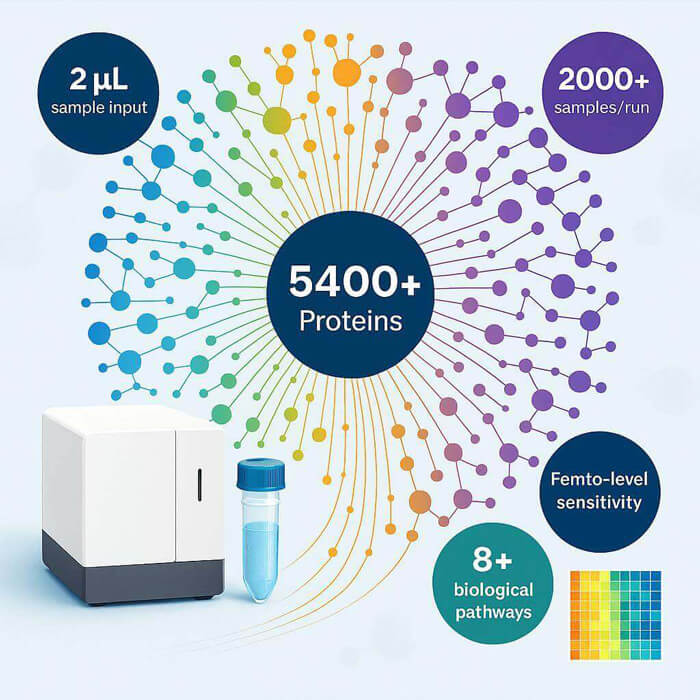
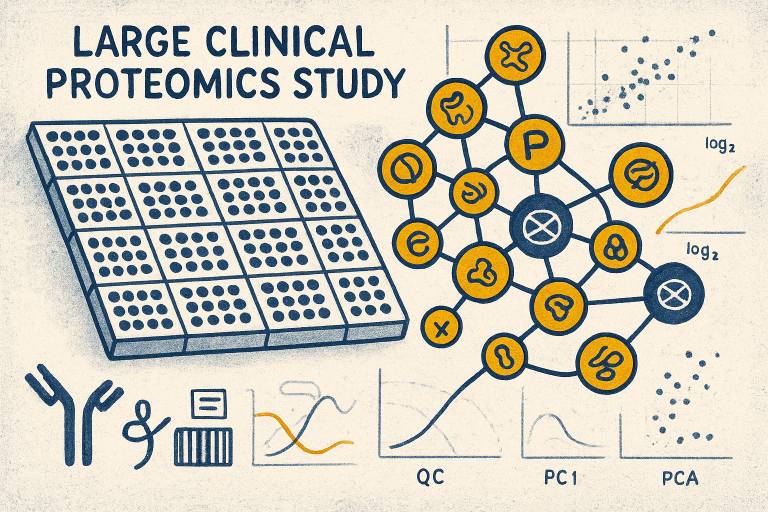
Large-scale proteomics studies do something few other modalities can: they translate genetic risk and environmental context into measurable protein phenotypes at cohort scale. Olink's Proximity Extension Assay (PEA) can quantify thousands of proteins from microliter inputs, making it practical to profile 1,000–100,000 samples when cohorts are properly designed. In this guide, we define what "large-scale" means in practice, show how to plan cohorts and statistical power around NPX, and outline an audit-ready QC and batch-effect strategy you can defend to reviewers and regulators.
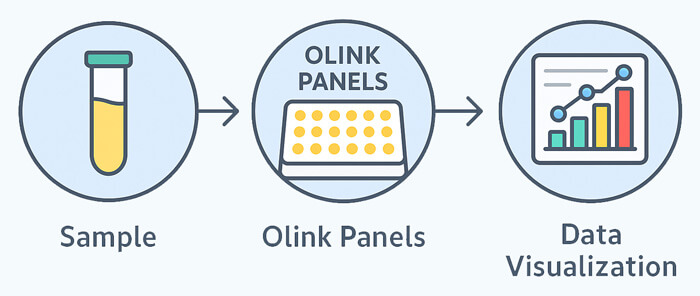
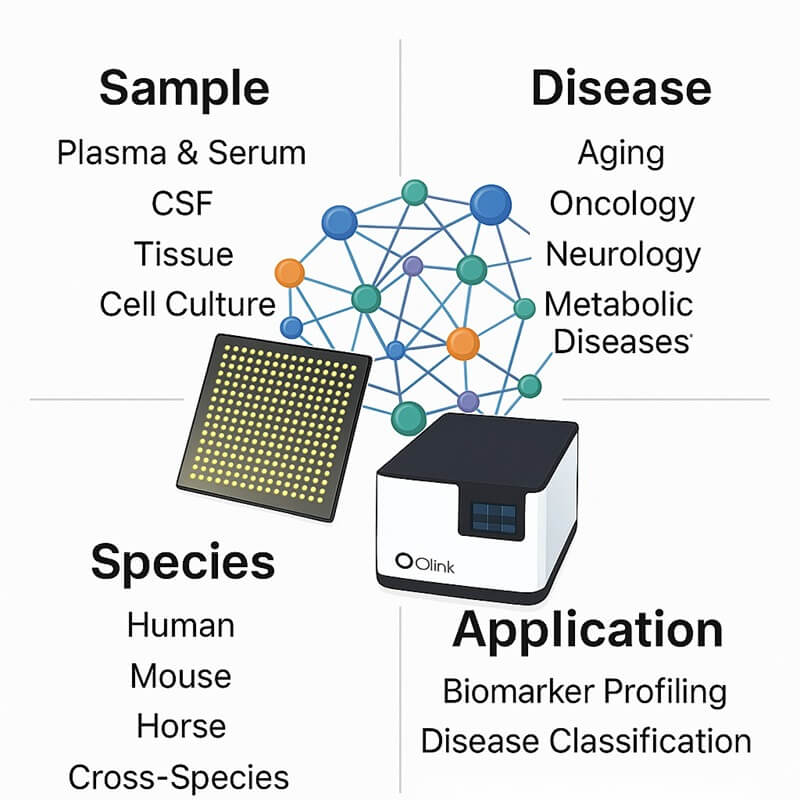
For readers who are new to PEA and NPX, a quick primer helps. See the overview of PEA assay logistics and real-world study considerations in the Olink Proteomics Assay Services page from Creative Proteomics: Olink Proteomics Assay Services.
Key takeaways
- Treat any project exceeding 1,000 samples as a large-scale proteomics study and plan cohort balance, randomization, and bridging up front.
- Define effect sizes on the NPX log2 scale and estimate variance from pilot data; under high heterogeneity, budget for more samples before more proteins.
- Build QC around controls, bridge samples, and transparent policies for LOD and outliers; normalize with documented, assay-level adjustments.
- Use OlinkAnalyze functions for bridging and diagnostics; record plots and acceptance criteria in an auditable report.
- Align proteomics with genomics for pQTL and integrate with transcriptomics to resolve protein–mRNA discordance.
Cohort selection and stratification
Define
A large-scale proteomics study aims to detect clinically or biologically relevant differences across high-dimensional protein readouts while controlling for confounding. That requires representative sampling, balanced covariates, and prospective safeguards against site and time effects.
Challenge
Unbalanced age, sex, ancestry, center, and timepoint can masquerade as biology. Multi-center and multi-year operations add batch structure. Longitudinal oncology studies add within-subject correlation and dropouts. Without design controls, you pay with statistical power and irreproducible signals.
Solution
- Stratify and target balance on key covariates during enrollment and plate allocation.
- Randomize sample order within blocks that mix sites and timepoints to diffuse batch structure.
- Include technical replicates and pooled control matrices on each plate for stability monitoring.
- Document pre-analytical SOPs for collection, processing, storage, and freeze–thaw limits.
These tactics mirror common practice in high-throughput Olink studies and large consortia; for example, pan-cancer plasma proteomics with Olink Explore used pooled controls, technical replicates, and extensive QC visualizations to monitor stability and precision, with reported median intra-assay CVs around 10–13% and inter-plate CVs around 21–22% in pooled plasma duplicates, providing clear benchmarks you can plan against. See the 2023 pan-cancer profiling report for methods and precision ranges in context: pan-cancer Olink Explore profiling report.
Expert advice
- Oncology longitudinal cohorts: pre-specify paired or mixed-effects models and plate randomization that interleaves timepoints within individuals across plates. This reduces the risk that timepoint equals plate.
- Immune or inflammatory case–control cohorts: block by site and disease severity strata; ensure balanced representation per plate to reduce confounding.
Large-scale proteomics study power analysis with NPX
Define
NPX is a log2 unit. A ΔNPX of 1 equals an approximate two-fold change. By framing effect sizes on NPX and estimating variance from pilot data, you can compute sample sizes aligned to your study model.
Challenge
Multiple testing across hundreds to thousands of proteins inflates false positives. Clinical heterogeneity increases variance. Longitudinal designs add correlation structures. Ad hoc rules-of-thumb often miss the mark.
Solution
- Use pilot NPX data to estimate per-protein variance and a robust pooled SD for planning. Trimmed SD or MAD-based estimates are less sensitive to LOD effects.
- Choose tests aligned to design: two-sample for case–control, paired or mixed-effects for longitudinal. Plan an FDR target (for example, 5%) and reflect multiplicity by either an effective alpha for power calculations or simulation-based power curves.
- Run sensitivity analyses across plausible ΔNPX and SDs. When SDs are high due to heterogeneity, prioritize increasing n over expanding assay breadth.
The table below illustrates ballpark per-group sample sizes for a two-sample comparison at 80% and 90% power, two-sided alpha approximated at 0.001 to reflect multiplicity. Use this as a starting point and refine with pilot NPX distributions.
| ΔNPX (effect) | SD = 0.5 | SD = 0.8 | SD = 1.0 |
| 80% power | n≈64, 40, 32 | n≈164, 105, 82 | n≈256, 164, 128 |
| 90% power | n≈86, 54, 43 | n≈220, 140, 110 | n≈344, 220, 172 |
Notes: each cell shows approximate n per group for Δ=0.5, 0.3, 0.2 NPX respectively in the column SD; assumptions should be validated by simulation using your pilot NPX and planned FDR. If your design is paired/longitudinal, the effective variance can be lower, reducing n. For multiple-testing implications and power planning in high-dimensional omics, see this review: multiple-testing and power in omics.
Expert advice
- If your SD exceeds 0.8 NPX for many proteins in a given stratum, increase sample size before increasing panel breadth; broader panels raise multiplicity without guaranteeing useful signal.
- For longitudinal oncology designs, plan at least two baseline technical replicates in early plates to stabilize variance estimates for paired models.
QC and batch-effect mitigation
Define
Audit-ready QC depends on four pillars: controls, bridge samples, normalization, and transparent policies for LOD and outliers. Your goal is to demonstrate plate stability, align batches, and document every decision.
Challenge
Large projects run for months across plates, centers, or even products. Without a repeatable bridging plan and documentation, cross-batch drift can overshadow true biology. Below-LOD handling and outlier rules can also change conclusions if they are not pre-specified.
Solution
- Controls and acceptance: review incubation, extension, detection, and inter-plate controls; follow manufacturer thresholds and record per-plate pass/fail with comments. Practical details appear in Olink's general guidance.
- LOD and missingness: define per-assay LOD handling upfront. Typical choices include half-LOD imputation when a small fraction falls below LOD and dropping proteins with high undetectable proportions. For LOD logic and examples, refer to the OlinkAnalyze LOD vignette: LOD handling in OlinkAnalyze.
- Bridging and normalization: select overlapping bridge samples across batches or across products, estimate assay-level differences, and apply adjustments. OlinkAnalyze provides functions and vignettes for within-product and cross-product bridging, including diagnostics and bridgeability plots. See the cross-product introduction: OlinkAnalyze bridging introduction.
- Documentation: save PCA and density plots before and after normalization, per-assay CV tables, and a narrative of exclusions with reasons. For a stepwise NPX pipeline with example outputs, see this internal resource: Understanding Olink's data analysis process.
Suggested QC thresholds and rules
| QC item | Suggested target or rule | Rationale or source |
| Intra-assay precision | Median CV ≈ 9–13% in pooled duplicates | Reported ranges in large Olink cohorts such as the 2023 pan-cancer study: pan-cancer profiling precision |
| Inter-plate precision | Median CV ≈ 21–22% in pooled duplicates | Same as above; plan to monitor and adjust via bridge normalization |
| Below-LOD handling | Half-LOD imputation if sparse; drop proteins with high undetectable share | OlinkAnalyze LOD vignette and common practice: LOD vignette |
| Bridge sample count | Within-product: overlapping per batch; Cross-product: ~24–64 depending on product pairing | OlinkAnalyze bridging vignettes with selection criteria: bridging introduction |
| Outlier policy | Predefine PCA density and QC-flag criteria; document any removals | OlinkAnalyze outlier guidance |
Minimal bridging workflow example
library(OlinkAnalyze)
# 1) Load NPX and metadata; pre-filter on LOD policy
npx <- load_npx("project_npx.csv")
meta <- read.csv("sample_manifest.csv")
npx_filt <- olink_lod(npx, method = "half_lod", max_undetected = 0.2)
# 2) Select bridge samples that pass QC with broad dynamic range
bridges <- olink_bridgeselector(npx_filt, meta,
min_detect_rate = 0.9, min_reps = 2, prefer = c("pooled_plasma", "technical_rep"))
# 3) Normalize across batches/products using median-of-pairs or quantile smoothing
npx_norm <- olink_normalization(npx_filt, bridges,
method = "median_of_pairs", smooth = TRUE)
# 4) Diagnostics and audit artifacts
olink_pca_plot(npx_filt, color = meta$batch)
olink_pca_plot(npx_norm, color = meta$batch)
olink_bridgeability_plot(npx_filt, bridges)
write.csv(qc_summary(npx_norm), "qc_summary.csv", row.names = FALSE)
In our experience In our experience leading multi-center projects with thousands of samples, the single biggest determinant of between-batch stability is the quality and number of bridge samples coupled with transparent documentation of adjustments.
Micro-example using a service workflow Disclosure: Creative Proteomics is our product. For projects that require operational support, a neutral way to implement the above is to use a service workflow that enforces bridge-sample manifests and QC checkpoints. For example, a provider can register 5–10% of total samples as candidates for bridging, pre-qualify them based on detectability and replicate consistency, and seed each new batch with 24–32 overlapping bridge samples. The lab returns a batch report containing raw NPX, pre- and post-bridge PCA plots, inter-plate CVs, and an itemized normalization log. This does not replace your statistical review; it accelerates it with auditable artifacts you can independently verify.
Benchmarking context Comparative evaluations of Olink Explore and mass spectrometry show precision on par with established proteomics methods when detectability is high, with reported median CVs near 6.3% in certain settings and context-dependent agreement, underscoring the value of strict LOD policies and bridge-driven normalization. See the comparative evaluation of Olink Explore 3072 and MS for figures and caveats: comparative evaluation Explore 3072 vs mass spectrometry.
Multi-omics integration and pQTL alignment
Define
Proteins mediate genotype to phenotype. Cohort-scale NPX matrices can be aligned with genotypes to map pQTLs, connect variants to circulating proteins, and ground downstream pathway interpretation.
Challenge
mRNA–protein discordance is common. Batch structures differ across omics. Genotype, proteome, and phenotype timelines rarely align perfectly.
Solution
- Plan genotype–proteome joint analyses early. Use cis pQTLs to validate measurement specificity and trans pQTLs to reveal regulatory networks.
- Align covariates and batch-correction strategies across omics. Prefer joint models or harmonized residualization before integration.
- Use pathway-level tools to contextualize effects and to bridge protein and transcript signals when directions differ.
For a concise overview of NPX interpretation and processing steps useful when preparing proteomics for integration, see this internal guide: Interpreting Olink serum proteomics.
Expert advice
- Population cohorts for pQTL require stringent control of ancestry and relatedness and benefit from Explore or Explore HT breadth.
Next steps
If you need a second set of eyes on power planning, plate layout, or bridge-sample manifests, request a methodology consultation to review your design and QC plan.
Resources mentioned in this guide
- PEA assay logistics and services overview: Olink Proteomics Assay Services
- NPX processing steps and reporting artifacts: Understanding Olink's data analysis process
- OlinkAnalyze bridging and LOD vignettes: bridging introduction, LOD handling
- Precision benchmarks in a large cohort: pan-cancer Olink Explore profiling
- Cross-platform evaluation context: comparative evaluation Explore 3072 vs mass spectrometry
FAQ
Q: How many samples do large-scale Olink studies usually require?
A: Treat 1,000 samples as a practical threshold for large-scale operations. For common case–control contrasts targeting ΔNPX of 0.3 with SD around 0.8 and 5% FDR, planning for roughly 100–150 samples per group often lands near 80% power; refine with pilot NPX and simulation.
Q: How can I reduce multi-year batch effects?
A: Pre-register bridge samples and seed every batch with overlapping bridges. Use OlinkAnalyze bridge diagnostics to vet assay-level adjustments, and keep PCA before/after plots in an auditable log.
Q: How should I choose between Olink Explore and Target platforms at scale?
A: Use Explore or Explore HT for discovery breadth and scale, then migrate confirmed signals to Target panels for focused validation and cost control. Align this transition with your study milestones.
Q: How should I estimate sample size for a large-scale Olink study using NPX?
A: Frame effect sizes as ΔNPX (log2). Use pilot NPX data to estimate per-protein SD (robustly: trimmed SD or MAD) and run simulation-based power calculations for your planned test (two-sample, paired, or mixed model). For high-dimensional outcomes, either simulate the full analysis pipeline with FDR control (e.g., BH at 5%) or conservatively set an effective alpha (e.g., α_eff ≈ 0.001) for initial planning. Save pilot distributions, simulation code, and a power-summary table (ΔNPX × SD × n per group) as auditable artifacts. For methods and worked examples, see guidance on multiple testing in omics and general power frameworks (e.g., the omics power review) and adapt assumptions to your pilot NPX.
What to save: pilot NPX histogram/density plots, SD/MAD estimates, simulation scripts or notebooks, and the final power-summary table.
Q: How many bridge samples do I need and how should I select them?
A: Bridge-sample counts depend on whether you bridge within-product (same platform across plates/runs) or cross-product (e.g., Explore 3072 ↔ Explore HT). Public vignettes and practice suggest cross-product ranges (e.g., ~24–64 samples depending on pairing) and prioritizing detectability and QC pass rate; within-product bridging is context-dependent but typically uses fewer overlapping samples per batch. Selection criteria: high detectability (low below‑LOD rate), representative dynamic range, QC pass history, and minimal hemolysis or processing anomalies. Use automated selection (e.g., OlinkAnalyze's bridge selector) but review manually for representativeness. Document the manifest of bridge samples and the rationale for inclusion. See the OlinkAnalyze bridging vignettes for canonical guidance and bridgeability diagnostics.
What to save: bridge manifest (sample IDs, provenance), pre/post-bridge PCA and bridgeability plots, per-assay paired correlations, and the normalization log.
Q: What is the recommended approach to below‑LOD values (missing/undetected) in NPX?
A: Define a pre-specified LOD policy before analysis. Common, audit‑friendly options: 1) retain below‑LOD NPX and use half‑LOD imputation when the fraction is small; 2) exclude proteins with excessive below‑LOD frequency (commonly >20%); 3) compute CVs and diagnostics using values above LOD only. Justify your cutoffs with pilot data and report sensitivity checks (e.g., analysis with and without half‑LOD imputation). Refer to the OlinkAnalyze LOD vignette for implementation and rationale.
What to save: per-assay below‑LOD frequency table, comparison of key results across LOD-handling methods, and the decision log noting thresholds and rationale.
Q: How do I demonstrate that batch-effect correction worked?
A: Use a combination of diagnostics: pre/post PCA or UMAP colored by batch, plate, and biological covariates; per-assay paired correlations for bridge samples; and changes in inter- and intra-plate CV distributions. Predefine acceptance criteria (e.g., median inter-plate CV reduction percentage, minimum bridge-sample correlation threshold) and display before/after summaries. If possible, show that biological contrasts of interest (positive controls or known proteins) retain expected effect directions post-normalization. The OlinkAnalyze bridging diagnostics and PCA tools are suitable for these tasks.
What to save: PCA/UMAP plots (pre/post), per-assay CV tables, bridge-pair correlation tables, and a short normalization narrative for SOP inclusion.
Q: When should I choose Explore (discovery) vs Target (validation) platforms?
A: Use Explore or Explore HT for discovery when you need broad proteome coverage (thousands of proteins) and high sample throughput; use Target panels for focused validation of a vetted biomarker set or for cost-constrained confirmatory studies. Plan the transition: discovery → shortlist → targeted validation, and carry bridge samples or replicate assays across the switch to preserve comparability. Include cost, sample-volume constraints, and downstream regulatory needs in the decision. For platform characteristics and product guidance, refer to official Explore/Target product pages and internal assay-service descriptions.
What to save: a platform-decision memo (rationale, cost estimate, sample volume per assay), and mapping of proteins retained for Target panels with bridging plan.
Q: What metadata should I include when preparing data for GEO or public deposition to enable reproducibility?
A: Provide comprehensive sample and technical metadata: sample ID (consistent with NPX file), cohort/site, collection date/time, matrix (serum/plasma/CSF), processing SOP identifiers (collection tube type, centrifugation, storage temp, freeze–thaw count), batch/plate/run IDs, bridge/replicate flags, and basic phenotypes (age, sex, ancestry, case/control, timepoint). For analysis provenance, include NPX versioning, normalization method, LOD policy, bridge manifest, and a QC summary file. Use structured metadata (TSV/CSV) and accompany with methods text suitable for GEO.
What to save: a submission-ready metadata table, methods text describing NPX processing and QC, and the QC summary artifact bundle (plots + tables).